

Every board, by vendor
Eight boards from three manufacturers, one crate each. Every board is a const
Board with its
Bezel beside it. Take the vendors you
target and none of the others: a firmware for a Badger has no reason to compile
an X4's dimensions into its image.
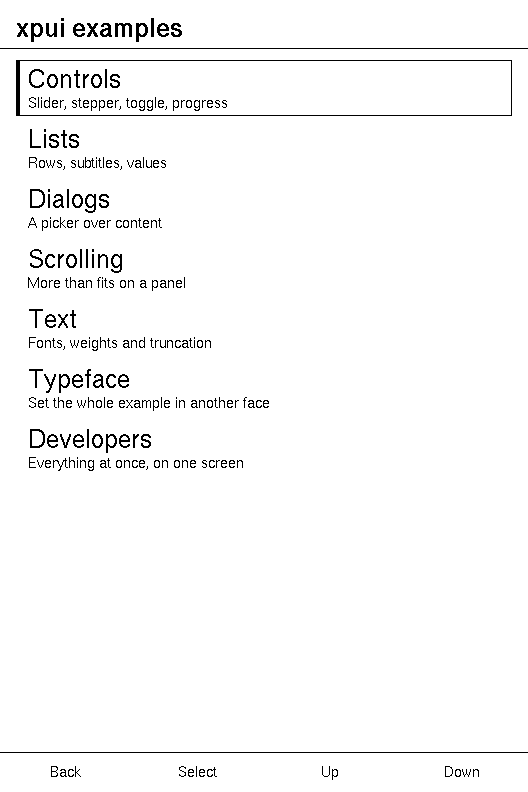
The eight boards says which of these have run on hardware and how a screen reaches each panel. This page is their numbers, and each vendor's numbers are asserted by the example under its table.
Topics
Section titled “Topics”| Pimoroni | xpui_boards_pimoroni: the Badger 2040, the Tufty 2040 and the Inky Frame |
| Xteink | xpui_boards_xteink: the X3, the X4, the X4 Classic and the X4 Pro |
| Seeed | xpui_boards_seeed: the Sticky |
There is no list across vendors. An application assembles its own from the
vendors it takes, as the front page shows, and
each vendor's ALL is what it concatenates.
Pimoroni
Section titled “Pimoroni”xpui_boards_pimoroni: three RP2040 boards, all held the way they are scanned.
| Constant | |
|---|---|
xpui_boards_pimoroni::BADGER_2040 | Pimoroni Badger 2040 — RP2040, 296x128 monochrome e-ink (UC8151). |
xpui_boards_pimoroni::TUFTY_2040 | Pimoroni Tufty 2040 — RP2040, 320x240 colour IPS LCD (ST7789v). |
xpui_boards_pimoroni::INKY_FRAME | Pimoroni Inky Frame 5.7" — RP2040 with a Pico W aboard, 600x448 seven-colour e-ink (E Ink Gallery Palette 4000). |
xpui_boards_pimoroni::BADGER_BEZEL | The Badger 2040's body with its keys placed, for a simulator to draw and a firmware to resolve pins from. |
xpui_boards_pimoroni::TUFTY_BEZEL | The Tufty 2040's body with its keys placed, for a simulator to draw and a firmware to resolve pins from. |
xpui_boards_pimoroni::INKY_FRAME_BEZEL | The Inky Frame's body with its keys placed, for a simulator to draw and a firmware to resolve pins from. |
| Badger 2040 | Tufty 2040 | Inky Frame | |
|---|---|---|---|
| The gallery's menu | 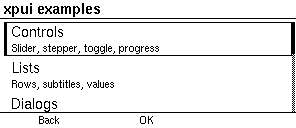 | 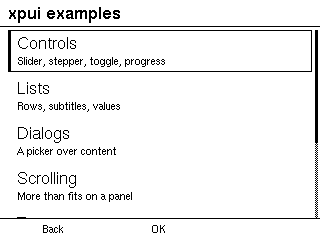 | 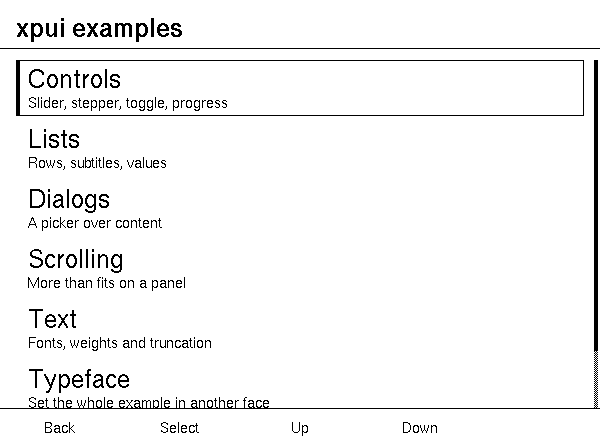 |
| Slug | badger2040, or badger | tufty2040, or tufty | inkyframe |
| Canvas | 296 × 128 | 320 × 240 | 600 × 448 |
| Framebuffer | the canvas, Landscape | the canvas, Landscape | the canvas, Landscape |
| Diagonal | 2.9" | 2.4" | 5.7" |
| Density | 111 ppi | 166 ppi | 131 ppi |
| UI scale | 100 % | 100 % | 100 % |
| Touch | no | no | no |
| Key row | Back, Confirm, blank | Back, Confirm, blank | Back, Confirm, Previous, Next, blank |
| Full refresh | 900 ms | 0 | 30,000 ms, estimated |
| Body | 85.6 × 48.7 mm | 65.2 × 52.7 mm | 131.4 × 127.5 mm |
| Panel | 66.9 × 29.1 mm | 48.9 × 36.7 mm | 114.9 × 85.8 mm |
| Keys on the body | a Back, b Confirm, c unassigned along the footer; Up, Dn on the right | as the Badger's | A Back, B Confirm, C Left, D Right, E Power along the footer |
The badges. A, B and C run along the bottom edge and the pair that walks a
list sits on the right, so the row a hint bar labels is three keys and the
third has no job. The body is Pimoroni's published outline; where the keys sit
is estimated from product photographs, since Pimoroni publish the GPIO map
but not the millimetres. At 111 ppi a 24px row on the Badger's strip is 5.4 mm,
wider than a 40px row on a reader. A full UC8151 update is close to a second.
The Tufty is colour hardware running a monochrome framework: the backend maps
ink and background onto any two Rgb565 values, and at 166 ppi its 30px row is
4.5 mm.
The Inky Frame. Five keys along the footer and nothing down either edge, so the pair that walks a list lives in the row too, and the fifth, which a hint bar has no word for, is Power: these frames sleep between refreshes and wake on a press. The 5.7" is the size Pimoroni sell it as; their 0.1915 mm dot pitch puts the active area a shade under, at 5.65". The forehead and the key size are estimated, and so is the refresh: Pimoroni quote "about 30 seconds", and a seven-colour panel cycles through each colour, two orders of magnitude slower than a reader.
Example — the Pimoroni numbers
use xpui_boards_core::{Bezel, Board, Orientation, RowKey};use xpui_boards_pimoroni as pimoroni;
// Canvas, ppi, refresh, and then body and panel in tenths of a millimetre.let numbers = |board: Board| {  let bezel = board.bezel.expect("every board here has a body");  ((board.width, board.height), board.ppi(), board.refresh_ms, bezel.body, bezel.panel_size)};assert_eq!(numbers(pimoroni::BADGER_2040), ((296, 128), Some(111), 900, (856, 487), (669, 291)));assert_eq!(numbers(pimoroni::TUFTY_2040), ((320, 240), Some(166), 0, (652, 527), (489, 367)));assert_eq!(numbers(pimoroni::INKY_FRAME), ((600, 448), Some(131), 30_000, (1314, 1275), (1149, 858)));
// The rows the prose measures, in tenths of a millimetre, rounded down.assert_eq!(pimoroni::BADGER_2040.tenths_of_a_mm(24), Some(54));assert_eq!(pimoroni::TUFTY_2040.tenths_of_a_mm(30), Some(45));assert_eq!(pimoroni::INKY_FRAME.tenths_of_a_mm(40), Some(77));
for board in pimoroni::ALL {  assert_eq!(board.orientation, Orientation::Landscape);  assert_eq!(board.framebuffer, (board.width, board.height));  assert!(!board.touch && board.ui_scale_percent == 100);}
let row: Vec<RowKey> = pimoroni::BADGER_2040.keys.iter().collect();assert_eq!(row, [RowKey::Back, RowKey::Confirm, RowKey::Unassigned]);assert_eq!(pimoroni::TUFTY_2040.keys, pimoroni::BADGER_2040.keys);let row: Vec<RowKey> = pimoroni::INKY_FRAME.keys.iter().collect();assert_eq!(row, [RowKey::Back, RowKey::Confirm, RowKey::Previous, RowKey::Next, RowKey::Unassigned]);
let labels = |bezel: Bezel| bezel.buttons.iter().map(|key| key.label).collect::<Vec<_>>();assert_eq!(labels(pimoroni::BADGER_BEZEL), ["a", "b", "c", "Up", "Dn"]);assert_eq!(labels(pimoroni::TUFTY_BEZEL), ["a", "b", "c", "Up", "Dn"]);assert_eq!(labels(pimoroni::INKY_FRAME_BEZEL), ["A", "B", "C", "D", "E"]);assert_eq!(pimoroni::BADGER_2040.bezel, Some(pimoroni::BADGER_BEZEL));
Looking a Pimoroni board up
Section titled “Looking a Pimoroni board up”xpui_boards_pimoroni::ALL
Section titled “xpui_boards_pimoroni::ALL”This vendor's 3 boards, so a caller can offer them without a table of its own that would fall behind this one.
pub const ALL: [Board; 3] = [BADGER_2040, TUFTY_2040, INKY_FRAME]One vendor's list, not the framework's. An application that ships against more
than one concatenates them; xpui-gallery's
gallery/src/boards.rs
does, with a const assertion that fails when a vendor gains a board.
xpui_boards_pimoroni::from_slug
Section titled “xpui_boards_pimoroni::from_slug”Looks one of this vendor's boards up by its short name, for a command line.
pub fn from_slug(slug: &str) -> Option<Board>None for a slug this vendor does not own, including one another vendor does:
a caller offering several asks each in turn. badger and tufty are accepted
too, because they are what people say.
Xteink
Section titled “Xteink”xpui_boards_xteink: four e-readers, the X3 and the X4 on an ESP32-C3 and
the X4 Classic and the X4 Pro on an ESP32-S3. All four scan their panel in
landscape and are held in portrait, so the canvas is the framebuffer turned a
quarter. The geometry and capabilities are read from the firmware's own board
configuration.
| Constant | |
|---|---|
xpui_boards_xteink::X3 | Xteink X3 — ESP32-C3, a 792x528 panel held portrait, so 528x792. |
xpui_boards_xteink::X4 | Xteink X4 — ESP32-C3, an 800x480 panel held portrait, so 480x800. |
xpui_boards_xteink::X4_CLASSIC | Xteink X4 Classic — ESP32-S3, the X4's 800x480 panel held portrait, so 480x800. |
xpui_boards_xteink::X4_PRO | Xteink X4 Pro — the X4's panel with a touchscreen over it. |
xpui_boards_xteink::X3_BEZEL | The X3's body with its keys placed, for a simulator to draw. |
xpui_boards_xteink::X4_BEZEL | The X4's body with its keys placed, for a simulator to draw. |
xpui_boards_xteink::X4_CLASSIC_BEZEL | The X4 Classic's body with its keys placed, for a simulator to draw. |
xpui_boards_xteink::X4_PRO_BEZEL | The X4 Pro's body with its edge keys and Home pad placed, for a simulator to draw. |
| X3 | X4 | X4 Classic | X4 Pro | |
|---|---|---|---|---|
| The gallery's menu | | 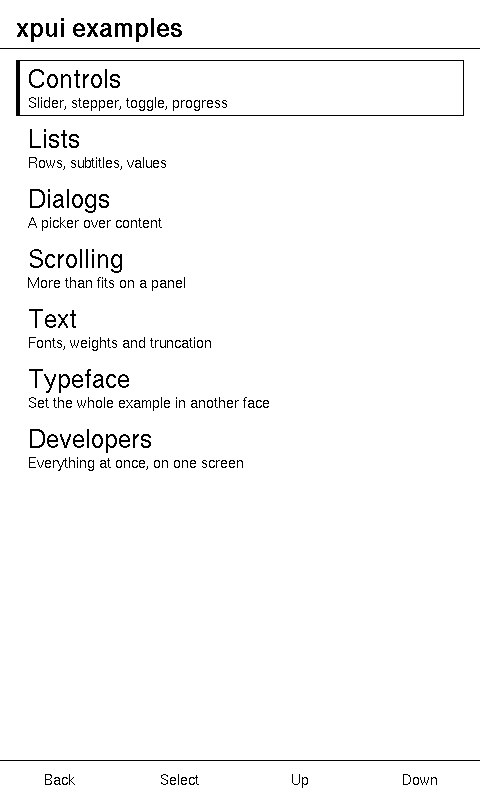 | | 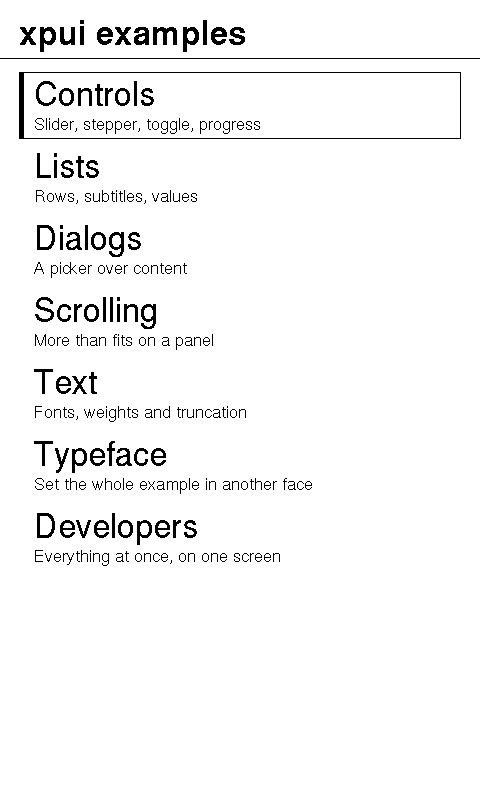 |
| Slug | x3 | x4 | x4classic | x4pro |
| Canvas | 528 × 792 | 480 × 800 | 480 × 800 | 480 × 800 |
| Framebuffer | 792 × 528, Portrait | 800 × 480, Portrait | 800 × 480, Portrait | 800 × 480, Portrait |
| Diagonal | 3.7" | 4.26" | 4.26" | 4.26" |
| Density | 257 ppi | 218 ppi | 218 ppi | 218 ppi |
| UI scale | 100 % | 100 % | 100 % | 120 % |
| Touch | no | no | no | yes |
| Key row | Back, Confirm, Previous, Next | Back, Confirm, Previous, Next | Back, Confirm, Previous, Next | none |
| Full refresh | 1,200 ms | 1,200 ms | 1,200 ms | 1,200 ms |
| Body | 67.1 × 108.7 mm | 71.7 × 124.8 mm | 69.0 × 114.0 mm | 71.7 × 124.8 mm |
| Panel | 52.1 × 78.2 mm | 55.7 × 92.8 mm | 55.7 × 92.8 mm | 55.7 × 92.8 mm |
| Keys on the body | Back, Select, Up, Down along the footer; Prev on the left; Sleep, Next on the right | the same footer; Sleep, Prev, Next stacked on the right | the same footer; Prev on the left; Sleep, Next on the right | Prev on the left; Sleep, Next on the right; a round Home pad below the panel |
The bodies are estimated. Xteink publish no mechanical drawing, so the
glass is what the diagonal makes it and the case around it is scaled from
photographs; the X4 Classic's outline is the one exception, 69 × 114 mm as
Xteink sell it, with the keys inside it still estimated. What is not estimated
is which edge the keys are on: the firmware's HalGPIO::hasEdgeSideButtons
names the X3, the X4 Classic and the X4 Pro as the boards whose page keys sit
one on each edge, and its themes draw both on one side for the X4. The X3's 3.7" is the size Xteink sell it as, the only diagonal here not
from the firmware's board table; the X4's 4.26" is that table's figure, and
4.3" the rounded selling size.
The footer. Its pins are named back, confirm, left and right. The labels
are what a list screen prints above them, so the key labelled Up sends
Button::Left and Down sends Button::Right.
The X3 is the densest panel here and a button board, so it keeps the
baseline chrome, as the firmware's uiScale = 1.0 does: its 40px row is 3.9 mm,
the smallest of the eight. The X4's 40px row is 4.6 mm. The X4 Classic
is the X4 Xteink sell today: the X4's glass and footer, so the same 4.6 mm
row and the same four keys, with Prev moved to the left edge and Sleep and Next
to the right, and an ESP32-S3 in place of the X4's ESP32-C3. The X4 Pro
takes Back and Confirm from its touchscreen, so only the page pair is wired,
and its Home pad is reported by the touch controller as
KeyAction::Home, not by a pin.
Everything on it is chosen with a finger, so it takes the touch scale and a
row becomes 48px, or 5.5 mm.
Example — the Xteink numbers
use xpui_boards_core::{Bezel, Board, KeyRow, Orientation};use xpui_boards_xteink as xteink;
// Canvas, ppi, and then body and panel in tenths of a millimetre.let numbers = |board: Board| {  let bezel = board.bezel.expect("every board here has a body");  ((board.width, board.height), board.ppi(), bezel.body, bezel.panel_size)};assert_eq!(numbers(xteink::X3), ((528, 792), Some(257), (671, 1087), (521, 782)));assert_eq!(numbers(xteink::X4), ((480, 800), Some(218), (717, 1248), (557, 928)));assert_eq!(numbers(xteink::X4_CLASSIC), ((480, 800), Some(218), (690, 1140), (557, 928)));assert_eq!(numbers(xteink::X4_PRO), ((480, 800), Some(218), (717, 1248), (557, 928)));
// The rows the prose measures, in tenths of a millimetre, rounded down.assert_eq!(xteink::X3.tenths_of_a_mm(40), Some(39));assert_eq!(xteink::X4.tenths_of_a_mm(40), Some(46));assert_eq!(xteink::X4_CLASSIC.tenths_of_a_mm(40), Some(46));assert_eq!(xteink::X4_PRO.tenths_of_a_mm(48), Some(55));
for board in xteink::ALL {  assert_eq!(board.orientation, Orientation::Portrait);  assert_eq!(board.framebuffer, (board.height, board.width));  assert_eq!(board.refresh_ms, 1200);  assert_eq!(board.ui_scale_percent, if board.touch { 120 } else { 100 });}for board in [xteink::X3, xteink::X4, xteink::X4_CLASSIC] {  assert_eq!(board.keys, KeyRow::READER, "{}", board.name);}assert!(xteink::X4_PRO.touch && xteink::X4_PRO.keys.is_empty());
let labels = |bezel: Bezel| bezel.buttons.iter().map(|key| key.label).collect::<Vec<_>>();assert_eq!(labels(xteink::X3_BEZEL), ["Back", "Select", "Up", "Down", "Prev", "Sleep", "Next"]);assert_eq!(labels(xteink::X4_BEZEL), ["Back", "Select", "Up", "Down", "Sleep", "Prev", "Next"]);assert_eq!(labels(xteink::X4_CLASSIC_BEZEL), ["Back", "Select", "Up", "Down", "Prev", "Sleep", "Next"]);assert_eq!(labels(xteink::X4_PRO_BEZEL), ["Prev", "Sleep", "Next", "Home"]);
Looking an Xteink board up
Section titled “Looking an Xteink board up”xpui_boards_xteink::ALL
Section titled “xpui_boards_xteink::ALL”This vendor's 4 boards, so a caller can offer them without a table of its own that would fall behind this one.
pub const ALL: [Board; 4] = [X3, X4, X4_CLASSIC, X4_PRO]One vendor's list, not the framework's; see
xpui_boards_pimoroni::ALL.
xpui_boards_xteink::from_slug
Section titled “xpui_boards_xteink::from_slug”Looks one of this vendor's boards up by its short name, for a command line.
pub fn from_slug(slug: &str) -> Option<Board>None for a slug this vendor does not own, including one another vendor does.
No aliases: nobody shortens these names.
xpui_boards_seeed: one ESP32-S3 board with a touchscreen and three keys.
| Constant | |
|---|---|
xpui_boards_seeed::STICKY | Seeed Sticky — ESP32-S3, an 800x480 panel held portrait, so 480x800. |
xpui_boards_seeed::STICKY_BEZEL | The Sticky's body with its keys placed, for a simulator to draw. |
| Sticky | |
|---|---|
| The gallery's menu | |
| Slug | sticky |
| Canvas | 480 × 800 |
| Framebuffer | 800 × 480, Portrait |
| Diagonal | 3.97" |
| Density | 234 ppi |
| UI scale | 120 % |
| Touch | yes |
| Key row | none |
| Full refresh | 1,200 ms |
| Body | 62.9 × 112.5 mm |
| Panel | 51.9 × 86.5 mm |
| Keys on the body | OK Confirm, Prev page back, Next page forward, in a column on the right |
The X4's framebuffer in a smaller body. 3.97" against 4.26" puts it at 234 ppi to the X4's 218, so every pixel is about 7 % smaller, which is why it asks for the touch scale despite the identical resolution; its row is 5.2 mm. Back and the directions come from touch. The top key is shorter than the two below it and is the shared OK and Power key: Seeed call it the AI Voice key, and the firmware confirms on a click and sleeps on a hold of four hundred milliseconds, so its label is what the firmware does with it. The surround is estimated; the count of three keys, and what each does, is not.
Example — the Seeed numbers
use xpui_boards_seeed::{self as seeed, STICKY, STICKY_BEZEL};use xpui_boards_xteink::X4;
assert_eq!(seeed::ALL, [STICKY]);assert_eq!((STICKY.width, STICKY.height), (480, 800));assert_eq!(STICKY.framebuffer, X4.framebuffer, "the X4's framebuffer");assert_eq!(STICKY.ppi(), Some(234));assert_eq!(STICKY.tenths_of_a_mm(48), Some(52), "a 48px row is 5.2 mm");assert_eq!((STICKY.ui_scale_percent, STICKY.touch, STICKY.refresh_ms), (120, true, 1200));assert!(STICKY.keys.is_empty());assert_eq!((STICKY_BEZEL.body, STICKY_BEZEL.panel_size), ((629, 1125), (519, 865)));
let labels: Vec<&str> = STICKY_BEZEL.buttons.iter().map(|key| key.label).collect();assert_eq!(labels, ["OK", "Prev", "Next"]);
Looking a Seeed board up
Section titled “Looking a Seeed board up”xpui_boards_seeed::ALL
Section titled “xpui_boards_seeed::ALL”This vendor's boards, so a caller can offer them without a table of its own that would fall behind this one.
pub const ALL: [Board; 1] = [STICKY]A list of one, so a caller treats every vendor alike; see
xpui_boards_pimoroni::ALL.
xpui_boards_seeed::from_slug
Section titled “xpui_boards_seeed::from_slug”Looks one of this vendor's boards up by its short name, for a command line.
pub fn from_slug(slug: &str) -> Option<Board>None for any slug but sticky. No aliases.
See also: Board,
Bezel, adding a board