

Describing a board
A board is a panel, the keys around it and the body it sits in, written as a
const that a screen, a simulator and a firmware all read. xpui_boards_core
holds the shape and describes no device; the eight boards written in it are on
vendors.
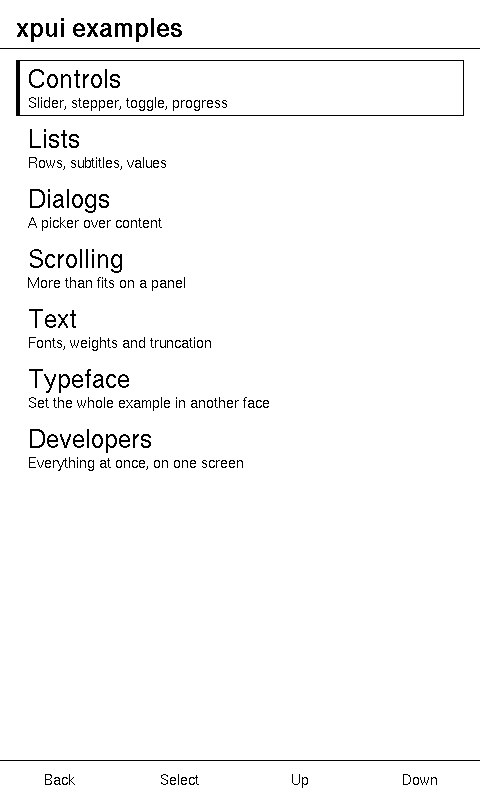
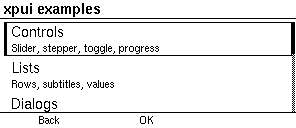
Adding a board writes one from a datasheet. This page is what each field and method means.
Topics
Section titled “Topics”xpui_boards_core::Board | A panel, its chrome, and what it can be driven with. |
xpui_boards_core::Orientation | Which way up a canvas sits on its framebuffer: a device scans its panel in one order and is held in another. |
Every name carries its crate, because ALL and from_slug exist in three.
xpui_boards_core::Board
Section titled “xpui_boards_core::Board”A panel, its chrome, and what it can be driven with.
pub struct BoardEvery field is public and the type is Copy and Eq, so a board is a literal:
a vendor crate's presets are const items, and one of your own is a struct
expression or Board::custom. Nothing in it
touches hardware. The simulator and a firmware read the same value, which is
what lets a screen laid out in a window be flashed unchanged.
| Field | Type | |
|---|---|---|
xpui_boards_core::Board::name | What to call it, for a window title or a log line. | &'static str |
xpui_boards_core::Board::slug | The short name a command line accepts. | &'static str |
xpui_boards_core::Board::width | The width of the canvas a screen is laid out against, in the orientation the device is normally held. | i32 |
xpui_boards_core::Board::height | The canvas's height, in the same orientation. | i32 |
xpui_boards_core::Board::framebuffer | The panel's own framebuffer, in the order the controller scans it. | (i32, i32) |
xpui_boards_core::Board::orientation | How the canvas sits on the framebuffer, in the orientation a device is normally used in. | Orientation |
xpui_boards_core::Board::diagonal_hundredths_inch | The panel's diagonal, in hundredths of an inch — 426 is 4.26" — or None for a panel whose physical size nobody has written down. | Option<u16> |
xpui_boards_core::Board::ui_scale_percent | How much larger this board's chrome is than the baseline, as a percentage: 100 keeps the pixel sizes, 120 turns a 40px row into 48. | u16 |
xpui_boards_core::Board::keys | What the keys along its bottom edge mean, left to right, and empty on a board with no row there. | KeyRow |
xpui_boards_core::Board::touch | Whether a finger can reach it. | bool |
xpui_boards_core::Board::refresh_ms | Roughly how long a full refresh takes, in milliseconds. | u32 |
xpui_boards_core::Board::bezel | The body around the panel, when one has been described. | Option<Bezel> |
What the other fields are for:
slugis stored rather than derived from the size: the X4 and the Sticky are both 800 × 480, so a size cannot tell them apart.diagonal_hundredths_inchis in the unit these panels are sold in, and an integer because every preset is aconstandBoardisEq.ppiis derived from it.ui_scale_percentexists because a pixel is not a size. Across the 218–257 ppi the readers sit at, a 40px row is 3.9–4.6 mm of glass: legible when a key walks the selection, small for a finger. The touch boards take 120 and the button boards stay at 100, tuned by hand per board.keysdecides whether a hint band is reserved at all: a band is only worth its height over a row that exists. SeeKeyRowunder re-exports.touchkeeps a board with buttons and no touchscreen from having its layout widened to finger-sized targets, and lets a screen ask before offering a drag-only control.refresh_msis why the framework repaints only when something changed. A board that answers 0 is a display fast enough not to care.bezelasNonemakes the simulator open a window that is exactly the panel.
Example — looking a board up by its slug
use xpui_boards_core::Board;use xpui_boards_pimoroni as pimoroni;use xpui_boards_seeed as seeed;use xpui_boards_xteink as xteink;
// Each vendor answers only for its own boards, so a caller offering several// asks each in turn.fn from_slug(slug: &str) -> Option<Board> {  pimoroni::from_slug(slug)    .or_else(|| xteink::from_slug(slug))    .or_else(|| seeed::from_slug(slug))}
assert_eq!(from_slug("x4").map(|board| board.name), Some("Xteink X4"));assert_eq!(from_slug("badger"), Some(pimoroni::BADGER_2040), "an alias");assert_eq!(xteink::from_slug("sticky"), None, "another vendor's slug");assert_eq!(from_slug("custom"), None);
Example — offering every board
use xpui_boards_core::Board;use xpui_boards_pimoroni as pimoroni;use xpui_boards_seeed as seeed;use xpui_boards_xteink as xteink;
let every: Vec<Board> = pimoroni::ALL  .into_iter()  .chain(xteink::ALL)  .chain(seeed::ALL)  .collect();
let slugs: Vec<&str> = every.iter().map(|board| board.slug).collect();assert_eq!(slugs, ["badger2040", "tufty2040", "inkyframe", "x3", "x4", "x4classic", "x4pro", "sticky"]);
// The touch boards take the larger chrome, and the button boards keep the baseline.for board in &every {  assert_eq!(board.ui_scale_percent, if board.touch { 120 } else { 100 }, "{}", board.name);}
Example — a board's key row and orientation
use xpui_boards_core::{Orientation, RowKey};use xpui_boards_xteink::{X3, X4_PRO};
// Scanned landscape, held portrait: the canvas is the framebuffer turned a quarter.assert_eq!(X3.framebuffer, (792, 528));assert_eq!(X3.orientation, Orientation::Portrait);assert_eq!(X3.orientation.canvas(X3.framebuffer), (X3.width, X3.height));
// Four keys along the bottom, Back leftmost.let row: Vec<RowKey> = X3.keys.iter().collect();assert_eq!(row, [RowKey::Back, RowKey::Confirm, RowKey::Previous, RowKey::Next]);
// Back and Confirm come from the X4 Pro's touchscreen, so it has no row to label.assert!(X4_PRO.keys.is_empty());
Creating a board
Section titled “Creating a board”xpui_boards_core::Board::custom
Section titled “xpui_boards_core::Board::custom”A board of an arbitrary size.
pub const fn custom(name: &'static str, width: i32, height: i32, touch: bool) -> Board| Parameter | Meaning |
|---|---|
name | What to call it. |
width, height | The canvas, which is also the framebuffer: the board is Landscape. |
touch | Whether a finger drives it. It also chooses the key row. |
For a panel no vendor crate describes. Everything else is filled in:
| Field | Value |
|---|---|
slug | "custom", which no real board uses |
diagonal_hundredths_inch | None, so nothing can ask it for millimetres |
ui_scale_percent | 100 |
keys | KeyRow::READER when touch is false, and empty when it is true |
refresh_ms | 0 |
bezel | None, so the simulator opens a window that is exactly the panel |
The key row is a guess either way: a finger brings its own Back, and a board with keys most often has a reader's four. Write the struct out when yours differs.
use xpui_boards_core::{Board, KeyRow};
let panel = Board::custom("bench panel", 400, 300, false);assert_eq!(panel.keys, KeyRow::READER);assert_eq!((panel.ppi(), panel.bezel), (None, None));assert!(Board::custom("bench tablet", 400, 300, true).keys.is_empty());xpui_boards_core::Board::has_left_right_keys
Section titled “xpui_boards_core::Board::has_left_right_keys”Whether this board has a Left/Right pair to nudge a value with.
pub fn has_left_right_keys(&self) -> boolDerived from the bezel rather than stored, so it cannot disagree with the keys it describes. Both keys, because one without the other is a value that can be raised and never lowered.
use xpui_boards_pimoroni::{BADGER_2040, INKY_FRAME, TUFTY_2040};use xpui_boards_seeed::STICKY;use xpui_boards_xteink::{X3, X4, X4_CLASSIC, X4_PRO};
assert!(X3.has_left_right_keys(), "its footer's Up and Down send Left and Right");assert!(X4.has_left_right_keys(), "the same footer");assert!(X4_CLASSIC.has_left_right_keys(), "the X4's footer again");assert!(INKY_FRAME.has_left_right_keys(), "C and D send Left and Right");assert!(!X4_PRO.has_left_right_keys(), "Left and Right come from its touchscreen");assert!(!STICKY.has_left_right_keys(), "and from the Sticky's");assert!(!BADGER_2040.has_left_right_keys(), "its edge pair sends Up and Down");assert!(!TUFTY_2040.has_left_right_keys(), "as the Tufty's does");
Physical size
Section titled “Physical size”xpui_boards_core::Board::ppi
Section titled “xpui_boards_core::Board::ppi”The panel's pixel density, or None when its physical size is unknown.
pub const fn ppi(&self) -> Option<i32>Worked out from framebuffer and diagonal_hundredths_inch rather than stored,
so the two cannot drift apart, and in whole pixels per inch, rounded down. The
arithmetic is integer, because the targets have no floating-point unit. A
diagonal of 0 also answers None.
xpui_boards_core::Board::tenths_of_a_mm
Section titled “xpui_boards_core::Board::tenths_of_a_mm”What pixels of this panel measure, in tenths of a millimetre.
pub const fn tenths_of_a_mm(&self, pixels: i32) -> Option<i32>The question chrome is judged by: a 40-pixel row is 4.6 mm on one reader here
and 3.9 mm on another, because their panels differ in density, and around 3 mm
is where a finger stops finding a row. Tenths, rounded down, because a
millimetre is coarse for a 4 mm row and tenths keep this integer. None when
ppi is.
use xpui_boards_xteink::{X3, X4};
assert_eq!(X4.ppi(), Some(218));assert_eq!(X4.tenths_of_a_mm(40), Some(46), "a 40px row is 4.6 mm on an X4");assert_eq!(X3.ppi(), Some(257));assert_eq!(X3.tenths_of_a_mm(40), Some(39), "and 3.9 mm on the denser X3");
See also: Orientation,
Bezel, the eight boards
xpui_boards_core::Orientation
Section titled “xpui_boards_core::Orientation”Which way up a canvas sits on its framebuffer: a device scans its panel in one order and is held in another.
pub enum Orientation| Variant | |
|---|---|
xpui_boards_core::Orientation::Portrait | The canvas is the framebuffer turned a quarter: tall on a wide panel. |
xpui_boards_core::Orientation::Landscape | The canvas is the framebuffer as it is scanned. |
The three Xteink readers and the Sticky are Portrait; the three Pimoroni
boards are Landscape. An orientation says only that the canvas is turned, not
which way: a renderer that writes to real hardware owns that detail.
Converting a size
Section titled “Converting a size”xpui_boards_core::Orientation::canvas
Section titled “xpui_boards_core::Orientation::canvas”The canvas a framebuffer of size presents in this orientation.
pub const fn canvas(self, size: (i32, i32)) -> (i32, i32)Portrait swaps the two numbers and Landscape returns them as they are.
use xpui_boards_core::Orientation;
assert_eq!(Orientation::Portrait.canvas((800, 480)), (480, 800));assert_eq!(Orientation::Landscape.canvas((800, 480)), (800, 480));
See also: Board::framebuffer